
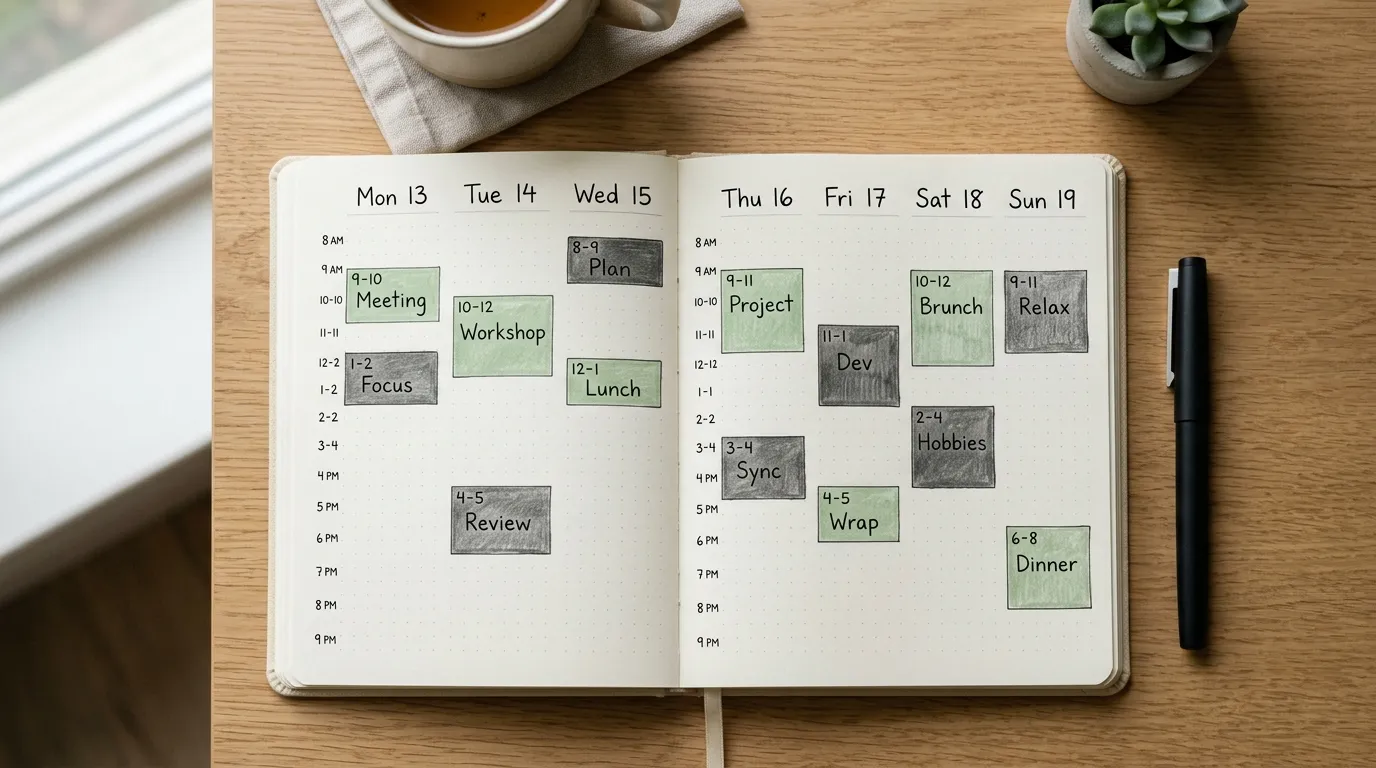
A to-do list tells you what matters. A calendar tells you when it will happen. Time blocking is the bridge between those two. Instead of carrying twenty tasks in your head and hoping the day makes room, you give important work a visible home on the schedule, the same way you would give a meeting a home.
If you are new to time blocking, ignore the color-coded screenshots and elaborate templates floating around the internet. You do not need twelve categories, five apps, and a perfect Sunday planning ritual. You need one honest week where deep work, admin, meetings, and recovery each get a lane. This guide gives you that week in detail: how to choose weekly outcomes, where to place focus blocks, how to batch shallow work, how much white space to leave, and how to review Friday without turning planning into another form of procrastination.
By the end of the week you will not have a flawless system. You will have evidence. You will know which blocks survived contact with reality, which ones were fantasy, and how to rebuild next week from that evidence instead of from guilt.
Why time blocking matters for beginners
Lists grow without limit. Time does not. That mismatch is why people feel busy and behind at the same time. You can add tasks forever. You cannot add hours. Time blocking forces a confrontation with capacity. When the calendar is full, new work must displace something else or wait. That sounds harsh. It is also kinder than pretending you can do everything by Thursday.
Beginners especially benefit because blocking externalizes decisions. You decide in advance that email lives at 1:30, not all day. You decide that the report draft lives at 9:00, not “when I get a minute.” Those decisions reduce the number of micro-choices that drain attention between 8:00 and noon.
There is a second benefit: communication. A blocked calendar makes your priorities legible to collaborators. When people see deep work and admin windows, they interrupt with more care. When they see only empty white space, they assume you are free. Time blocking is partly personal planning and partly a social signal.
Finally, blocking creates a feedback loop. If you planned three deep blocks and completed one, you learn something concrete about meetings, energy, or overcommitment. Vague intentions do not teach. Missed blocks teach, if you review them without drama.
What time blocking is (and is not)
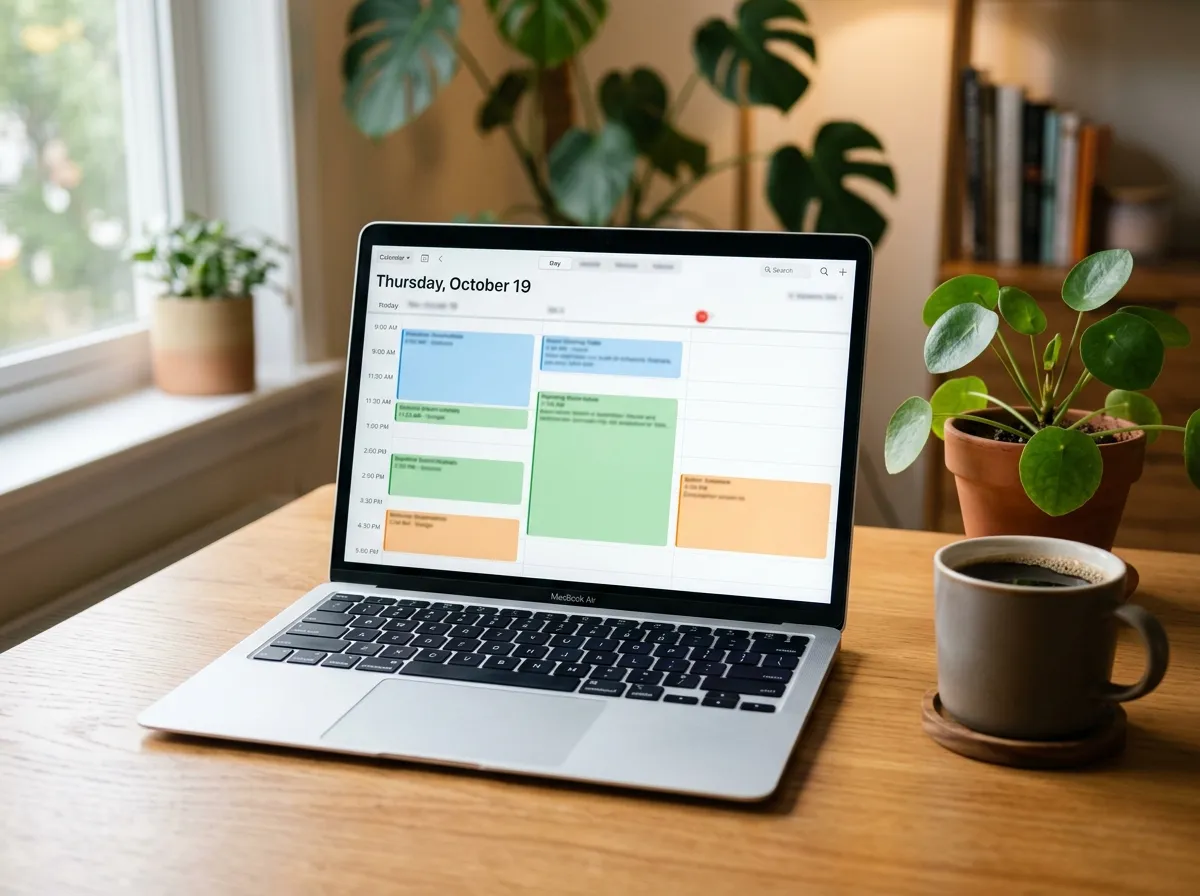
Time blocking means assigning types of work to named ranges on your calendar. A block can be:
- Deep work on a specific outcome
- Admin and communication
- Meetings and collaboration
- Personal logistics or breaks
- Buffer for overflow
It is not a promise that life will obey the plan. It is a default map. When the map is wrong, you update it. Rigid people break their system on the first emergency. Flexible beginners treat blocks as appointments with themselves that can be moved with intention, not abandoned without thought.
Time blocking is also not the same as time boxing every tiny task to the minute. Beginners who schedule “reply to Sam (7 minutes)” usually quit by Wednesday. Use broader lanes first. Precision can come later if you need it.
Step 1: List five weekly outcomes, not twenty tasks
Before you touch the calendar, write five results that would make the week a success. Outcomes are finish lines. Tasks are steps. Beginners drown when they block every micro-task and lose the plot.
Examples of weekly outcomes:
- Submit the client proposal draft
- Close the Q2 expense report
- Record two training videos
- Ship the bug fix for checkout errors
- Hold one career conversation with your manager
If an item cannot be finished or clearly advanced this week, it does not belong in the top five. Park it on a someday list. Your calendar should serve the five, not every floating idea.
Then estimate rough effort. A proposal might need two deep blocks. An expense report might need one admin block. This estimate will be wrong at first. That is fine. Estimation improves only when you compare plan to reality.
Step 2: Block deep work first
Place two or three deep work blocks before you fill the week with meetings and email. Deep work is the first claim on your best hours. If you schedule it last, leftovers are all you get.
Each deep block should name an outcome from your top five, or a slice of one. “Deep work” alone is too vague. “Deep work: proposal pricing section” is usable.
Protect sixty to ninety minutes when possible. If your workplace cannot give you that, use forty-five and keep the ritual tight. For more on running those sessions well, see How to Focus Better at Work.
A practical pattern for many beginners:
- Tuesday, Wednesday, Thursday mornings: deep work
- Monday morning: planning and light setup
- Friday afternoon: review and shutdown
Your pattern can differ. The principle stays: important thinking gets a reserved seat before the cafeteria of urgency fills the room.
Step 3: Batch admin into one lane
Email, Slack, forms, scheduling, and small approvals expand to fill any open crack. Give them a container. One or two admin blocks per day beat an all-day drip.
During admin blocks you are allowed to be interruptible. That is the point. You are trading constant partial attention for scheduled full attention to shallow work. People who fear missing messages often discover that a ninety-minute reply delay rarely causes real damage, while all-day reactivity reliably causes unfinished deep work.
Rules that help:
- No inbox during deep blocks unless the outcome is literally inbox-related
- Process messages in batches: archive, reply, defer, or convert to a task
- End admin with a next action list, not with “I will just check once more”
If your role is customer-facing or on-call, you may need shorter admin pulses. Even then, try to cluster them. Five intentional check-ins beat fifty accidental ones.
Step 4: Place meetings with eyes open
Meetings are not the enemy. Unexamined meetings are. After deep work and admin lanes exist, look at what is left. Cluster meetings when you can so you preserve longer open stretches. Back-to-back meetings with no buffer create a day that looks full and feels ruined.
Ask for agendas. Decline meetings where your role is unclear. Suggest async updates when a live discussion is unnecessary. Beginners sometimes think they lack authority to change meeting culture. You usually have more room than you think, especially for recurring meetings that lost their purpose.
Leave travel or transition time between video calls if you work remotely. The calendar can lie by stacking meetings with zero minutes between them. Humans still need water, notes, and a brain reset.
Step 5: Leave white space on purpose
A calendar packed edge to edge is a plan for failure. Keep about twenty to thirty percent of the workday as buffer. Buffer absorbs overruns, emergencies, and the work you forgot existed when you planned on Sunday night.
White space is not laziness. It is shock absorption. Airlines do not schedule planes with zero turnaround. Your week needs turnaround too.
If you are tempted to fill every gap with tasks, ask: what will I cancel when something slips? If the answer is “sleep” or “deep work,” your plan is too tight.
Step 6: Use themes lightly, not as dogma
Some people like theme days: Monday for planning, Tuesday for creation, Wednesday for collaboration. Themes can reduce context switching. They can also become cosplay if your job does not fit neat labels.
For beginners, try soft themes inside the week rather than rigid identity days. For example, protect mornings for creation and afternoons for communication most days. That single pattern often outperforms a colorful legend with eight categories.
If a theme helps you say no, keep it. If it becomes a reason to avoid needed work because “today is not that kind of day,” drop it.
The one-week beginner plan
Here is a concrete week you can run once. Adjust start times to your job. Keep the sequence and the review.
Before Day 1: thirty-minute setup
Write five weekly outcomes. Block two or three deep work windows. Add one or two daily admin windows. Mark Friday fifteen minutes for review. Leave buffer. Do not color-code yet. Clarity first, aesthetics later.
Day 1: Install the skeleton
Live the calendar as written. Notice where reality pushes back. If a meeting overruns, move the displaced block instead of deleting it. Capture every “I forgot this existed” item in a parking list. Do not rebuild the whole week on day one. Observe.
Day 2: Protect the first deep block fully
Treat the deep block like an external meeting. Close chat. Write one outcome. Soft land at the end. Afterward, note how accurate your time estimate was. If you finished early, use leftover time for the next slice of the same outcome, not for random inbox grazing.
Day 3: Tighten admin
During admin blocks, practice a clear finish line: inbox under a chosen threshold, calendar updated, small approvals done. When the block ends, close the apps. The urge to “just peek” is the habit you are retraining. Peeking recreates all-day drip under a new name.
Day 4: Handle a conflict on purpose
By midweek something will collide: a surprise meeting, a sick day, a fire drill. Practice deliberate rescheduling. Move a deep block rather than silently sacrificing it. If you must sacrifice it, write why. Patterns in those reasons become next week’s design constraints.
Day 5: Add one collaboration block if needed
If your work depends on others, schedule a short block for follow-ups, decisions, and waiting-item nudges. Waiting work often stalls because nobody owns the chase. A weekly chase block keeps projects moving without turning every hour into ping-pong.
Day 6: Simplify
Remove one block type that created noise. Maybe you over-scheduled personal chores. Maybe you created too many tiny deep blocks. Simplifying midweek prevents Sunday perfectionism. The best beginner systems are boring and short.
Day 7: Fifteen-minute Friday review
Ask four questions:
- Which outcomes moved?
- Which blocks were fantasy?
- What repeatedly stole deep work?
- What will I place first next week?
Rebuild next week from those answers. For a fuller weekly review method, use the Weekly Review Checklist after you finish this starter week.
A sample day shape for beginners
Here is one ordinary weekday shape. It is a sketch, not a commandment.
- 8:30–9:00: arrive, settle, scan calendar, confirm the day’s top outcome
- 9:00–10:30: deep work block
- 10:30–10:45: break and soft landing notes
- 10:45–12:00: meetings or collaboration
- 12:00–13:00: lunch away from the desk if possible
- 13:00–14:00: admin and messages
- 14:00–15:30: second deep work or project support work
- 15:30–16:30: meetings, reviews, or flexible buffer
- 16:30–17:00: shutdown: capture open loops, set tomorrow’s first block
If your day starts later or includes school runs, shift the whole pattern. The value is the sequence: focus before drip, admin in a lane, buffer near the end, shutdown before you leave.
Common mistakes in first-week time blocking
Blocking tasks instead of outcomes. Your calendar becomes a graveyard of tiny intentions. Block the work that finishes results.
No buffer. One overrun cascades through the afternoon and you conclude time blocking “doesn’t work.” It worked as designed. You designed no slack.
Deep work after the inbox. Checking messages first hands your best attention to other people’s priorities. Flip the order for one week and compare.
Identical blocks every day with no regard for energy. If you crash after lunch, stop placing your hardest thinking at 14:00. Match difficulty to energy.
Secret calendars. If coworkers cannot see your blocks, they will book over them. Shared visibility is part of the system in most workplaces.
Replanning all day. Moving blocks constantly recreates decision fatigue. Move when reality demands it. Do not fidget the calendar as a way to avoid the work inside the block.
Treating missed blocks as moral failure. Missed blocks are data. Moralizing them stops learning. Adjust the plan.
Copying someone else’s aesthetic. Fancy legends and rainbow categories feel productive. They are optional. A plain calendar with clear titles beats a beautiful system you abandon.
How to estimate block length without overthinking
Use three sizes only at first:
- Short: 30–45 minutes for admin pulses or quick collaboration
- Standard: 60–90 minutes for deep work
- Long: 2–3 hours only for rare deep project days when meetings are cleared
After a week, compare planned versus actual. If deep blocks always overrun, either shrink the outcome or lengthen the block. If they finish early and you wander, sharpen the outcome sentence. Estimation is a skill built by feedback, not by guessing harder in advance.
What to do when your job fights the calendar
Some roles are interrupt-driven: support, operations, nursing-adjacent admin, retail management, early-stage founders. Time blocking still helps, but the units change. You may block “focus if quiet” windows and pair them with explicit coverage plans. You may protect only two deep blocks a week and defend them fiercely. You may use theme hours rather than theme days.
The mistake is concluding that time blocking is only for people with quiet offices. The useful version for chaotic roles is smaller and more honest: fewer blocks, more buffer, clearer rules for what can interrupt.
Tools: enough and not too much
Any calendar works. Google Calendar, Outlook, paper. Beginners often bounce between tools and call it optimization. Pick one and stay for the full week.
Optional helps:
- A weekly note with the five outcomes at the top
- A simple parking list for tasks that appear midweek
- Status messages that match your blocks
Avoid building a second brain, a kanban museum, and a habit tracker on the same weekend you learn blocking. One system change at a time.
FAQ
How long does it take to learn time blocking? One week is enough to feel the mechanics. Two to four weeks is enough to trust your estimates. You will keep adjusting forever as roles change. That is normal maintenance, not failure.
Should I block personal time too? Yes, if personal priorities keep getting stolen. Exercise, dinner, and shutdown routines deserve the same visibility as meetings. If you only block work, life becomes the leftover.
What if my manager fills my calendar? Show the deep work blocks and the outcomes they protect. Ask which meeting can move if the outcome matters. Bring a proposal, not a complaint. Many managers support focus when they can see the tradeoff clearly.
Is time blocking the same as a strict routine? No. Routines repeat daily habits. Time blocking assigns work to hours that may change by week. They pair well, but they are different tools.
Can I time block on paper? Absolutely. A weekly paper grid is often clearer for beginners because it limits fiddling. Transfer fixed meetings from your digital calendar, then pencil the rest.
What do I do with tasks that do not fit? They wait, get delegated, get dropped, or displace something else. Infinite backlog with finite weeks means selection is the job. Blocking makes selection visible.
How detailed should block titles be? Detailed enough that you know what to do when the block starts. “Admin” is fine if you already know the admin checklist. “Deep work” needs an outcome attached.
What if I hate planning? Keep planning to thirty minutes a week plus a fifteen-minute Friday review. Time blocking is not a hobby. It is a lightweight capacity map. If planning takes longer than the work it organizes, you overbuilt it.
Related reading
Once blocks exist, run them well with How to Focus Better at Work. Keep the system honest each week with the Weekly Review Checklist. Planning without review becomes fiction. Review without planning becomes regret.
Time blocking for beginners works when you start small, protect deep work first, batch admin, leave white space, and rebuild from Friday’s evidence. One honest week beats a perfect template you never live inside. Put the important work on the calendar, then show up for the appointment.