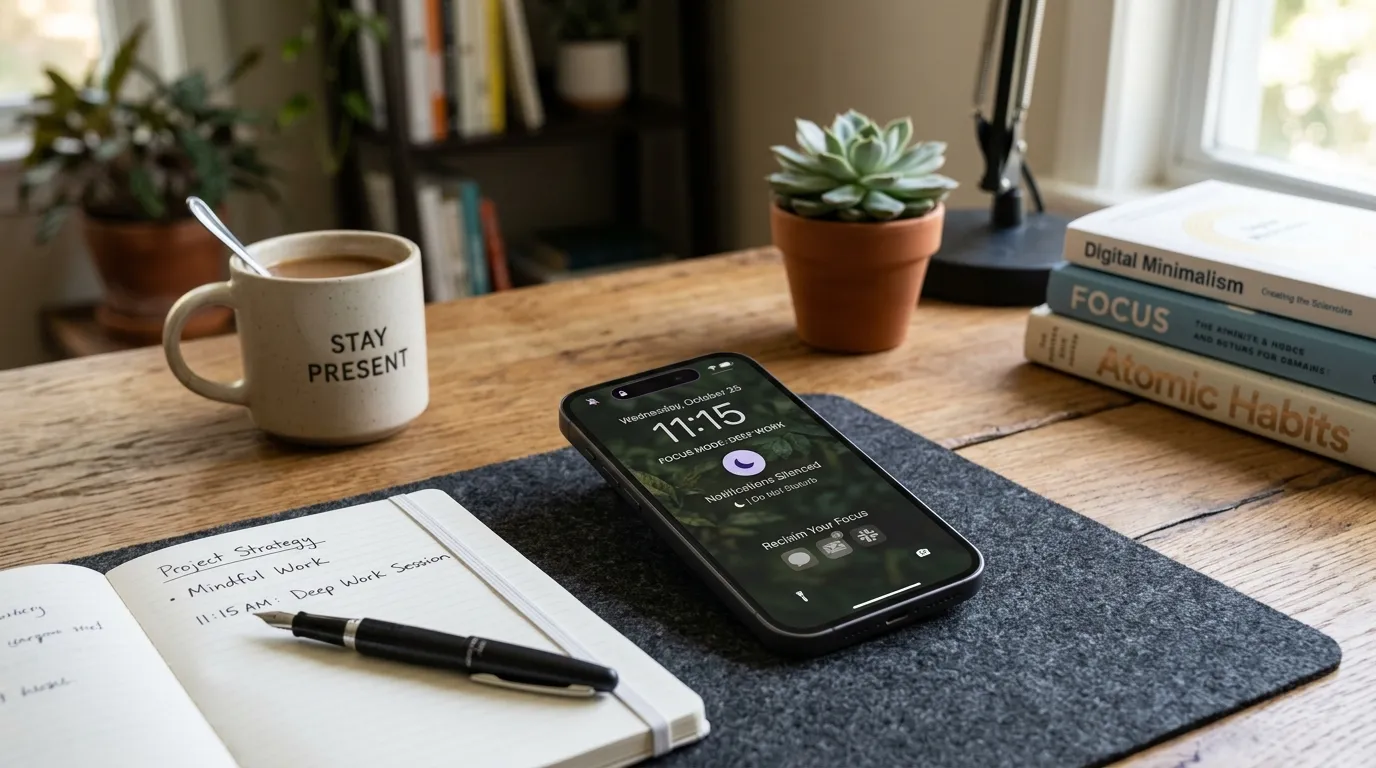

Extreme bans fail. Deleting every social app on Sunday and downloading them again by Wednesday is a familiar loop. The problem is not a lack of willpower. The problem is a rule set that treats attention like an on/off switch instead of a set of moments that need different protection. Gentle, specific limits around sleep and focus windows work better because they respect how real days actually run.
This guide is for people who still need phones for work, family logistics, maps, banking, and staying in touch. You are not trying to become a digital hermit. You want fewer accidental scrolls, better sleep, and a clearer head in the hours that matter. All U Want’s approach is practical: protect the last hour before bed, limit the top offender apps, replace idle picking-up with a ready alternative, and review weekly totals without shame.
Limits that feel extreme create rebellion. Limits that feel fair create room to breathe.
Why gentle limits outperform dramatic detoxes
A dramatic detox can be useful as a short reset, but it is a poor default lifestyle. Life includes group chats, school portals, delivery tracking, and the occasional funny video. When the plan is “never,” every normal need feels like failure. When the plan is “not during these windows,” you can still be a functioning adult.
Gentle limits also match how phones are designed. Apps compete for the next tap. You will not out-argue a recommendation engine with raw motivation every evening. You can change the environment: fewer badges, fewer late-night entry points, fewer open tabs into nowhere.
The goal is not a perfect weekly number. The goal is intentional use in the hours that shape mood, sleep, and deep work.
Step 1: Decide what you are protecting
Before you touch any settings, name the outcomes. Vague goals like “use my phone less” dissolve by Thursday. Specific protections stick.
Common protections that work well:
- Sleep: the last 60 minutes before bed stay calmer
- Morning focus: the first work block starts without a feed tour
- Deep work: one or two daily windows stay notification-quiet
- Presence: meals or family time stay mostly phone-down
Pick two for the first week. If you try to protect everything, you rebuild the extreme ban under a softer name. Write the two protections on a sticky note near your charger.
Example pair for many adults: protect the last hour before bed, and protect the first 90 minutes of focused work. Everything else can stay flexible while those two become habits.
Step 2: Protect the last hour before bed
This is the highest-leverage gentle limit for most people. Late-night feeds delay sleep, raise arousal, and turn “I’ll just check one thing” into forty minutes of nowhere. You do not need a monastic blackout. You need fewer stimulating apps and no work email in that window.
Make the hour concrete
If you aim to sleep at 11:00, the protected hour starts at 10:00. Set a recurring reminder titled “Shutdown window” five minutes before it begins. Pair this with an evening shutdown routine so the phone change sits inside a broader wind-down, not as an isolated punishment.
Rules that feel fair
- No work email or Slack in the protected hour
- No infinite-scroll social apps
- Allowed: maps if you are traveling, two-factor codes, a calming playlist, an e-reader app in night mode, a quick text to a person you love
- Charge the phone outside the bedroom if that is realistic in your home
If you use your phone as an alarm, keep it across the room or use a cheap separate alarm. Friction matters. The goal is to make “one more scroll” slightly annoying and sleep slightly easier.
Gray options beat total bans
Many phones offer Downtime, Focus modes, or app limits after a certain hour. Use them. When you must override, require a deliberate passcode or extra tap. That pause is often enough to choose sleep instead.
Step 3: Set app limits on top offenders only
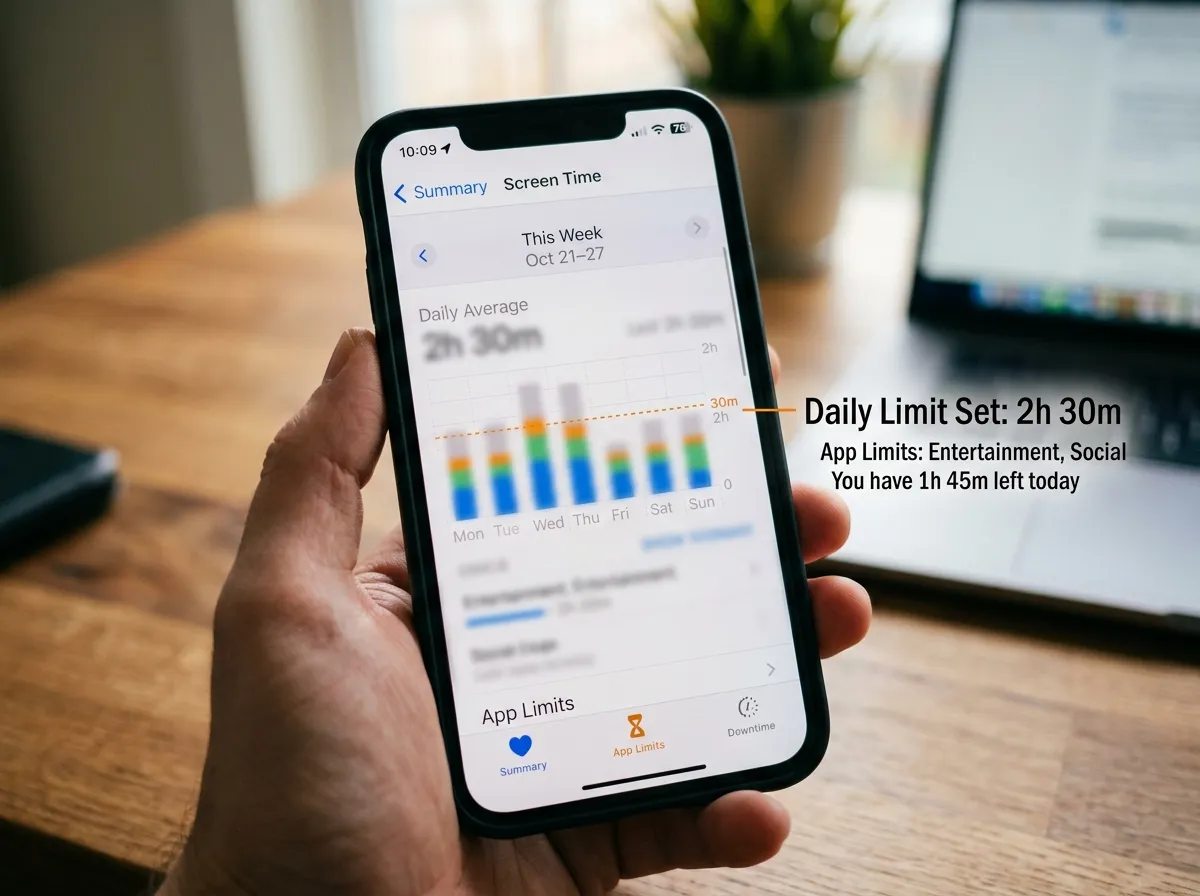
Open your weekly screen time report and find the top two or three time sinks. Start with one social or video app, not everything. Broad limits feel like house arrest. Narrow limits feel like coaching.
Choose a daily cap that is mildly uncomfortable but not absurd. If you currently average two hours on one app, a thirty-minute cap may trigger constant overrides and resentment. Try ninety minutes for a week, then lower. The point is a ceiling that catches mindless overtime, not a fantasy schedule.
Apply the limit to the app that steals evenings or mornings, not the app you use for purposeful short tasks. Messaging may stay unlimited while short-form video gets a fence. Be honest about which tool is a tool and which is a slot machine.
Use categories carefully
Category limits (all social, all entertainment) can work if your phone’s categories match reality. Check them. Sometimes a useful app lands in the wrong bucket. Prefer app-specific limits until you trust the categories.
Step 4: Replace, do not only restrict
Restriction without replacement leaves a vacuum. Vacuums refill with the same apps. Keep one easy alternative within reach for the moments you usually pick up the phone.
Replacement ideas that do not require a new personality:
- A paperback or e-reader on the nightstand
- A short stretch routine you already know
- A kettle and tea as a shutdown cue
- A five-minute tidy of one surface
- A walk around the block after dinner
- A puzzle, sketchbook, or instrument within arm’s reach of the sofa
The replacement should be lower friction than unlocking the banned app. If the alternative requires driving to a gym you never visit, it will lose. Match the energy of the moment you are replacing: evening boredom needs something calm and nearby, not a heroic life overhaul.
Step 5: Reduce cues that trigger pickup
Limits work better when the phone asks for less attention. Pair screen time rules with a lighter notification diet. Mute non-human alerts. Turn off badges on social apps. Move colorful icons off the first home screen. Grayscale for evenings is optional and surprisingly effective for some people.
Also notice physical cues:
- Phone face-up on the desk invites glances
- Phone in the bedroom invites late checks
- Phone in hand while waiting for water to boil invites a feed
Create parking spots: a bowl by the door for home arrival, a charger in the kitchen during dinner, a drawer during deep work. These are environmental limits, not moral lectures.
Step 6: Design focus windows without quitting your job
Work requires screens. Gentle limits still help. Create one or two focus windows where only work-necessary apps are easy to reach.
Practical pattern:
- Enable a Focus or Do Not Disturb profile named Deep Work
- Allow calls from starred contacts and calendar alerts
- Silence social, shopping, and news
- Keep the profile on for 45–90 minutes
- Take a real break after, including optional recreational screen time on purpose
Scheduled recreational time reduces the urge to sneak it during focus. “I can watch later at 7:30” is easier to honor than “I can never watch.”
If your job lives inside chat tools, negotiate norms where you can: batch checks at :00 and :30, or status messages that say when you will reply. Limits that ignore job reality collapse. Limits that shape job reality last.
Step 7: Review weekly totals without shame
Once a week, open the screen time report for ten minutes. Look for patterns, not sins.
Ask:
- Did the bedtime hour improve?
- Which app still spikes after dinner?
- Did overrides become constant? If yes, the limit may be too tight or the replacement too weak
- Did a stressful week raise totals? Adjust rules; do not spiral
Shame makes people hide from their own data. Curiosity makes people tune the system. If numbers climbed because you were traveling, sick, or coordinating a family emergency, that is context, not failure. Reset the gentle rules for the week ahead and move on.
Track one qualitative measure too: “I fell asleep easier” or “mornings felt less foggy.” Those signals matter as much as minutes.
A starter set of gentle rules
Use this as a default package for week one:
- Protected last hour before bed: no work email, no social feeds
- One social or video app with a daily limit based on your current average minus a modest slice
- Phone charges outside the bedroom, or at least across the room
- One replacement activity staged where you usually scroll
- Notification badges off for the top offender apps
- Sunday ten-minute review, no self-attack allowed
That is enough. Resist adding five more rules because a productivity video made you feel behind.
Common mistakes that make limits feel extreme
- Zero-tolerance bans: they invite secret overrides and all-or-nothing thinking
- Limiting useful tools with slot machines: maps and banking are not the enemy
- No replacement habit: empty hands return to old apps
- Starting with twelve apps: start with one offender
- Ignoring sleep: daytime caps help less if nights stay chaotic
- Public pledges that raise pressure: quiet private systems often work better
- Comparing your numbers to strangers online: your life has different loads
- Using limits as self-punishment after a rough day: tighten environment, not self-talk
If a rule regularly makes you angry, redesign it. Anger is data. A sustainable limit should feel like a seatbelt, not a lecture.
Household and partner dynamics
Shared living spaces complicate phone norms. Agree on a few shared moments instead of policing each other’s totals. Examples: phones away during dinner, no work email at the table, charging station in the hallway. Kids and teens need age-appropriate versions with clearer explanations and more adult modeling than lectures.
If a partner wants stricter rules than you do, negotiate windows rather than identities. “We both protect 10 to 11” is easier than “we both become low-tech people.”
Travel, weekends, and sick days
Rigid limits break on irregular days. Build planned flexibility:
- Travel days may need more maps, tickets, and messages
- Weekends can include a longer recreational window on purpose
- Sick days may involve more passive video; protect sleep anyway
Write exception notes in your weekly review. Intentional flexibility is not the same as sliding back into all-day autopilot. The bedtime hour is the rule worth keeping even when other caps loosen.
Seven-day gentle limit plan
- Day 1: Choose two protections. Enable bedtime Focus or Downtime. Charge phone outside the bedroom if possible.
- Day 2: Identify the top offender app. Set one daily limit. Remove its badge.
- Day 3: Stage a replacement for evening boredom. Practice one phone-down meal.
- Day 4: Create a Deep Work focus profile for one block.
- Day 5: Mute five nonessential notification categories.
- Day 6: Keep the bedtime hour even if daytime slips. Note what triggered overrides.
- Day 7: Ten-minute review. Adjust one setting only. Keep the rest stable for another week.
Week two is for refinement, not reinvention. Lower one cap slightly if overrides were rare. Raise it slightly if you were fighting the phone all day. Stability beats constant tinkering.
How this connects to the rest of your digital life
Screen time limits are one layer. They work best beside quieter notifications, a cleaner home screen, and an evening shutdown that closes open loops. If your phone still screams for attention every minute, no daily minute cap will feel gentle. Reduce the noise first, then fence the remaining habits.
Conversely, if your home screen is calm but nights are still late, the missing piece is usually the bedtime window, not another icon rearrangement.
What progress feels like
After a couple of weeks of gentle limits, people often report:
- Falling asleep with less mental chatter
- Fewer “where did the evening go” moments
- Easier starts to focused work
- Less guilt, because the system expects being human
- More enjoyment of recreational screen time because it is chosen
You may still have heavy weeks. The difference is that heavy weeks no longer automatically rewrite your defaults. The fences are still there on Monday.
FAQ
How long does it take to set this up? Most people can configure the first gentle rules in under an hour and refine them over a week of real use. The weekly review keeps the system honest without demanding a lifestyle reboot.
Do I need special apps? No. Built-in Screen Time, Digital Wellbeing, Focus modes, and Downtime are enough for most people. Third-party blockers help some users, but simple defaults beat complicated setups you abandon.
What if my job requires constant phone access? Limit recreational offenders and protect sleep. Use focus profiles that allow work tools while silencing feeds. Batch chat checks when your role allows. Job-aware limits last longer than fantasy disconnects.
Should kids use the same rules? Use the same principles with more structure: protected sleep, fewer unbounded apps, and adults modeling the behavior. Exact minute caps depend on age and family values. Consistency matters more than copying an internet chart.
Is watching TV in the evening a failure? Not if it is intentional and does not wreck sleep. Many people sleep better with a planned show than with an endless phone feed in bed. Protect the phone-in-bed pattern first.
What if I keep overriding limits? The limit may be too aggressive, the replacement too weak, or notifications still too loud. Loosen one setting, improve the alternative, and retry for a week before concluding you “have no discipline.”
Can I still enjoy social media? Yes. Gentle limits aim to contain autopilot use, not outlaw connection and entertainment. Scheduled or capped use is still use. It is simply less accidental.
Quick tip
Charge devices outside the bedroom when you can. Distance at night does more for sleep than another motivational quote on your lock screen.
Related: Evening Shutdown Routine · Notification Diet