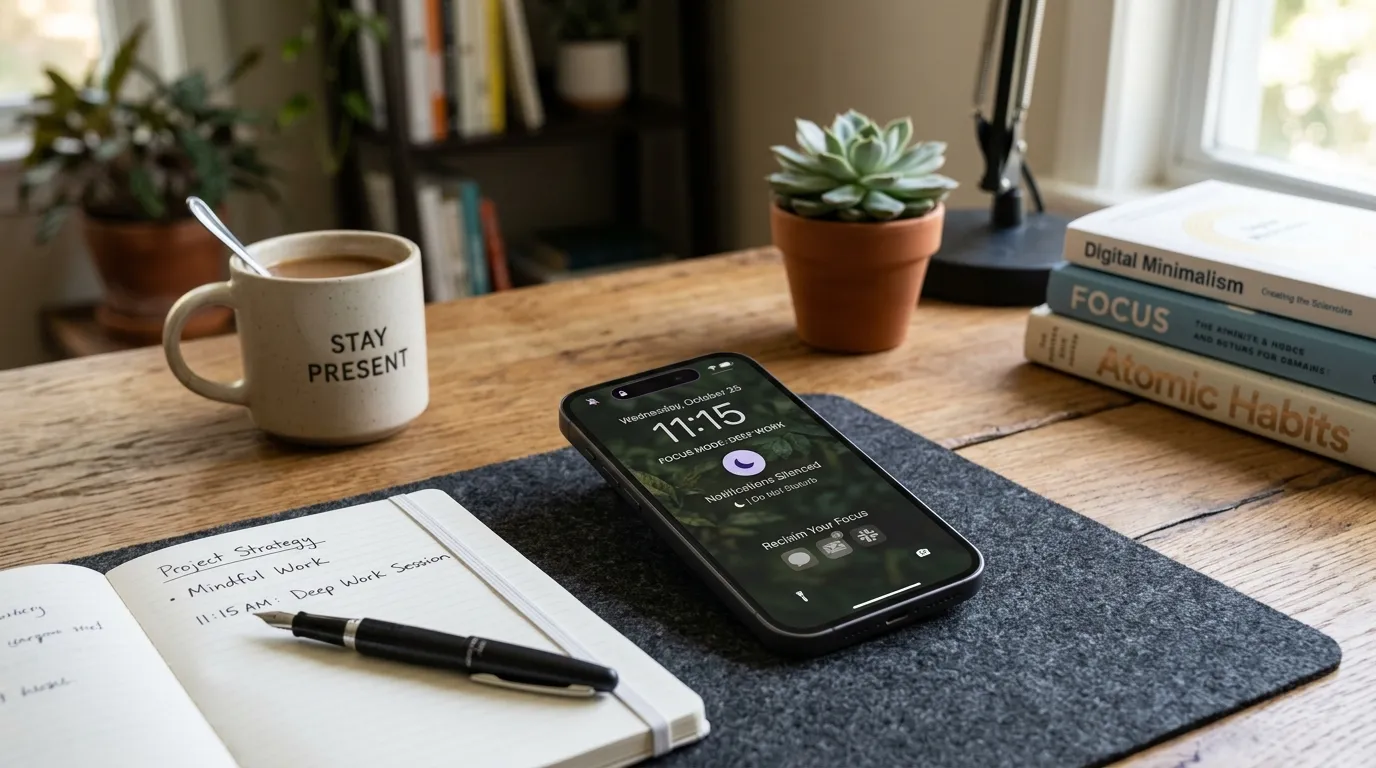
Most notifications are someone else’s agenda wearing a red badge. They arrive with urgency formatting even when the content is a discount code, a streak reminder, or a social upvote. A notification diet returns attention to your work, your rest, and the few humans who truly need a live wire to you. This is not about disappearing. It is about choosing which signals may interrupt your body and which must wait in a queue you open on purpose.
All U Want treats notification control as core digital life maintenance, alongside clean home screens, distraction audits, and calmer phone layouts. You can finish a first diet in an evening. You can keep it alive with a monthly review. The payoff shows up as longer stretches of focus, fewer adrenaline spikes, and a phone that feels like a tool again instead of a slot machine on your desk.
What notification noise actually costs
Every interruption has a restart cost. Research on attention and common workplace experience agree on the practical point: after a ping, you rarely resume at the same depth. You reread a sentence, reopen a tab, reenter a mood. Multiply that by dozens of low-value alerts and the day fragments into reaction scraps. Sleep suffers when late badges train you to check. Relationships suffer when a dinner table competes with group chats. Even leisure fragments when a movie night includes secret glances at the lock screen.
Not all alerts are equal. A call from a caregiver, a calendar alarm you set, or a delivery at the door can earn interruption rights. Marketing pushes, game energy reminders, and “someone liked your photo” rarely do. The diet’s job is to tell the difference in settings, not in willpower. Willpower fails when the sound already happened.
1. Allow only humans and events that truly matter
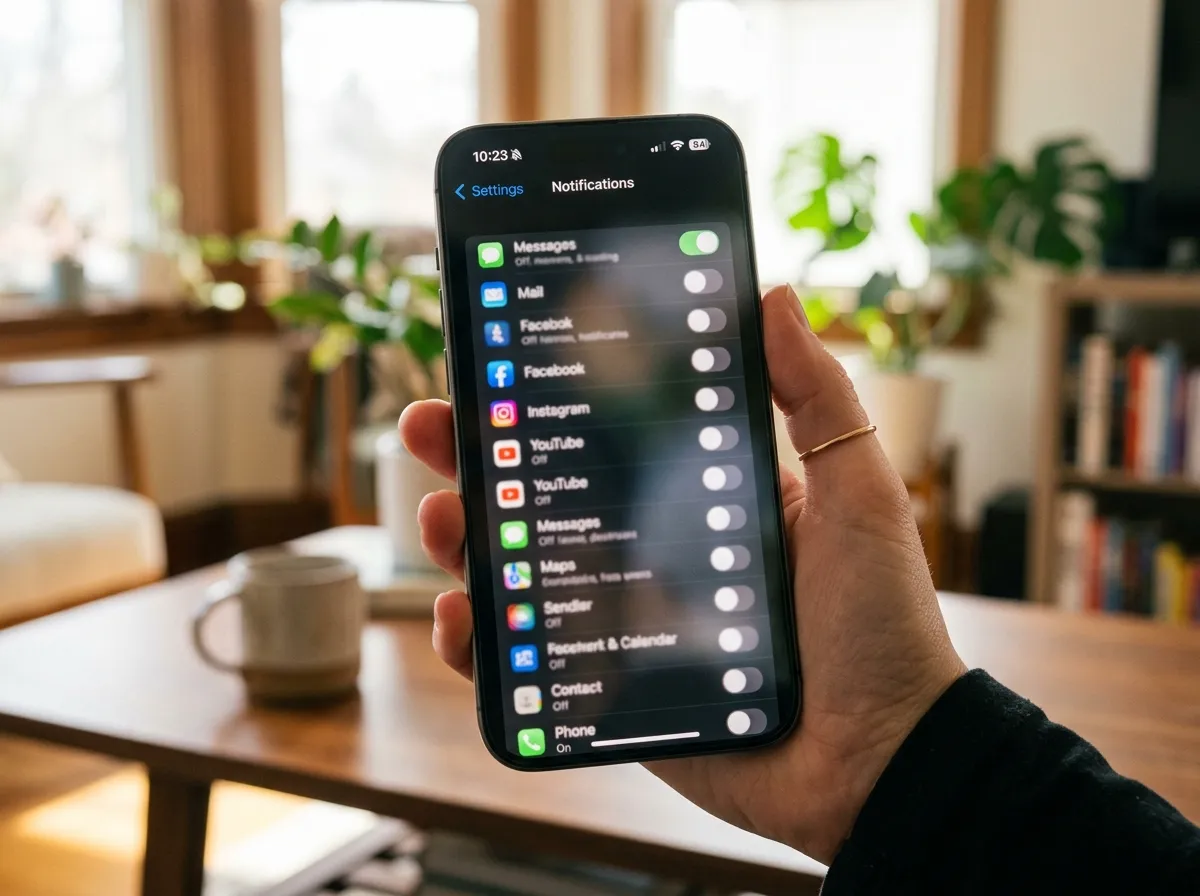
Start by listing who may break through when your phone is otherwise quiet: partner, children, school, boss for true emergencies, medical contacts, and anyone you care for. On iOS and Android, priority modes and contact exemptions make this concrete. Allow phone calls and SMS from favorites if that matches your life. Silence social apps, shopping apps, marketplaces, games, and newsletter-driven tools.
Email deserves special honesty. Very few inboxes need push for every message. Turn off new-mail banners for promotional accounts. If work requires faster response, limit push to VIP senders or a focused inbox feature. Everyone else can wait for scheduled checks. Calendar alerts should stay if they prevent missed meetings, but audit duplicates from multiple calendar apps stacked on the same event.
Banking and security alerts can stay if they are concise and rare. If a bank nags daily about features, disable marketing while keeping fraud alerts. Read each permission screen. Apps often bundle useful alerts with noisy ones. Prefer disabling categories rather than all-or-nothing when the app allows it.
Desktop notifications matter as much as mobile. Browsers, chat tools, and OS store apps love corners of your screen. Mute sites that are not mission critical. In team chat, use channel-specific notifications so only @mentions or direct messages break through during deep work. Status messages that say you are focusing train colleagues faster than repeated apologies.
2. Batch social and email instead of living on badges
Badges are unfinished loops. They itch. Remove badges from social apps and treat those apps as destinations you visit on a schedule. Choose two or three windows a day for email and one or two for social, unless your job truly is realtime community management. Outside those windows, keep apps off the home screen or inside a folder so opening them is intentional.
Batching works when the schedule is realistic. A parent on call cannot batch emergency texts. A support engineer on rotation cannot batch incident channels. Diet around your real role. For everyone else, “check after lunch and at four” beats “check whenever the badge appears.” Put the windows on your calendar for a week until the habit sticks.
Replace ambient checking with a short closing ritual: open the batched apps, process what matters, clear or snooze the rest, close them. The ritual teaches your brain that loops complete on purpose. If anxiety spikes at first, that is withdrawal from intermittent rewards, not proof you are failing. It usually settles within days as the nervous system stops expecting constant novelty.
News apps and headline alerts are frequent diet breakers. Unless you work in news, prefer one or two daily visits to trusted sources over push alerts for every development. Your attention is a finite budget. Spending it on outrage cycles leaves less for craft and care.
3. Use focus modes so quiet happens automatically
Manual discipline fades. Focus modes, Do Not Disturb schedules, and work profiles automate the diet. Create a Work mode that allows calendar, calls from favorites, and your essential work chat, while silencing social and shopping. Create a Sleep mode that begins before bedtime and ends after your first morning routine block. Create a Personal deep-work mode for creative hours. Activate modes by schedule or by location when your phone supports it.
Match the mode to the home screen if your OS allows custom pages or app visibility. A work mode that still shows games is a mixed message. Pair the notification diet with a cleaner layout so the visual field supports the rule set. For practical layout changes that reduce reflexive tapping, see clean your phone home screen.
Headphones and desktop focus tools help at a computer. OS focus modes can hide badges and suppress banners while you write. Browser profile separation can keep personal logins from notifying during work hours. The theme is the same everywhere: default to quiet, allow exceptions, review monthly.
Communicate the diet at work when needed. A short note in your status or team agreement prevents people from interpreting silence as neglect. Offer the urgent path explicitly: call if it is truly urgent. Most things are not. Clarity protects relationships better than silent resentment about pings.
4. Review monthly because new apps reintroduce noise
Every install is a fresh negotiation. Apps ask for notification permission at peak optimism. Say no by default, then enable only categories you need after you understand the app’s behavior. Once a month, open system settings and scan which apps sent notifications recently. Revoke what surprised you. Delete apps you opened only because they yelled.
OS updates sometimes reset or reshuffle settings. After updates, verify Sleep and Work modes. After travel, verify that time zone changes did not misalign schedules. After a new job, rebuild VIP lists. The monthly review can take ten minutes. Put it with other digital maintenance like photo declutter and Downloads cleanup so it becomes a ritual instead of a rescue.
Households benefit from a shared language. Kids’ devices need age-appropriate limits. Partners can agree on phone-free meals without policing every badge. Model the diet rather than only preaching it. Adults who silence marketing while demanding instant replies from everyone else create a double standard people feel.
Design quieter defaults across phone and desktop
Sound and haptics amplify stress. Use silent ringer with prioritized contacts allowed to ring. Turn off keyboard clicks and excessive lock screen previews for sensitive apps if you are often in public. Previews that reveal message content on a table are both distracting and exposing. Choose lock screen minimalism: time, alarms, and critical alerts only.
Wearables can either help or harm. A smartwatch that mirrors every phone ping moves the slot machine to your wrist. Configure the watch to mirror only the same allowed set as your focus mode. Many people find the diet incomplete until the watch is tamed. Fitness reminders can stay if they support your goals without nagging every hour.
Laptop chat clients should not boot into noisy states. Set launch preferences carefully. Mute channels by default when you join large teams, then unmute the few that matter. Threaded replies reduce drive-by interruptions when teams use them well. You cannot fix culture alone, but you can stop volunteering your attention to every channel.
How to run a one-evening notification diet
Hour one: list must-break-through contacts and events. Hour two: walk every app’s notification settings on your phone, disabling ruthlessly. Hour three: configure focus modes and schedules, then mirror the key rules on desktop chat and browser. End by sending yourself a test: does a favorite contact still ring, and does a shopping app stay quiet? Adjust until the answers are yes and yes.
The next workday, notice urges to re-enable things. Delay twenty-four hours before restoring any alert. Most urges pass. Keep a note of what you almost restored and why. That note feeds your monthly review and can also feed a deeper distraction audit if certain apps keep pulling you back for reasons beyond notifications.
If your job is interrupt-driven, create a narrower diet: silence personal noise during shifts, then silence work noise after shifts. Boundaries in both directions prevent burnout. The diet is not a personality change. It is traffic control.
Signs the diet is working
You finish deeper blocks of work before checking a phone. Meals feel less split. Sleep onset gets easier because the last hour is quieter. You feel a brief spike of anxiety, then relief. You answer important humans promptly because their signals are no longer lost in junk. You open social apps on purpose and close them without a trail of accidental reopens.
If nothing improves, the remaining interruptions are probably self-initiated: habitual picking up, browser tabs, or environmental cues. Notifications were only one layer. Keep the diet anyway, then examine habits and layout. Quiet devices make self-interruption easier to see.
Edge cases: on-call, caregiving, and public roles
Some lives cannot run a severe diet during every hour. On-call engineers, clinicians, caregivers, and organizers of community events need reliable break-through paths. The solution is narrower silence, not giving up. Create an On-call mode that allows the incident tool, the school nurse, or the family emergency group, while still muting retail and social noise. When the rotation ends, switch back to the stricter Work or Sleep mode. Identity-based modes prevent the false choice between “always available to everyone” and “available to no one.”
Public-facing roles also attract spam calls and junk texts. Use OS features that silence unknown callers, route strangers to voicemail, and filter SMS categories when available. Your diet can include carrier-level spam tools without turning off your mother. Document the exceptions in a short note so a partner or assistant understands which alerts are intentional.
Travel days deserve a temporary profile too. Flights, gates, and lodging confirmations may need banners you normally refuse. Enable them for the trip window, then revoke them when you unpack. Temporary exceptions that expire are healthier than permanent permission creep.
Make the diet visible so it sticks
Hidden settings are easy to undo under stress. Make the diet visible: a home screen without badge magnets, a watch face without constant complication alerts, a desktop that does not flash the corner every minute. Tell one trusted person you are on a notification diet so they use the urgent path correctly. Put the monthly review on the same checklist as backups and Downloads cleanup. Systems that share a calendar date survive longer than systems that rely on remembering a feeling of overwhelm.
When you slip, restart without drama. Re-open app notification lists, mute the offenders, and restore focus schedules. Relapse is usually one noisy install or one “just for this campaign” exception that never ended. Curiosity beats guilt. Ask which alert returned and why you allowed it. Then decide again with a cooler mind.
Quick tip
If it can wait an hour, it should not interrupt you. Train apps to wait. Train colleagues with clear urgent paths. Train yourself with schedules instead of badges.
Desktop, watch, and tablet: same diet, same rules
Phones get the attention, yet laptops drip interruptions all day through corner toasts. Apply the same allowlist to desktop chat, mail, and browsers. Disable nonessential site notifications in the browser. Turn off marketing toasts from store apps. If your watch mirrors every phone buzz, either mirror only VIP alerts or leave the watch for time and health while the phone handles messages on your schedule.
Tablets used on the couch often reintroduce badges you cleaned on the phone. Match focus modes across devices when your ecosystem allows it. A quiet phone beside a loud tablet is not a diet. It is a loophole with a bigger screen.
Once a month, sit with all devices powered on and ask one question per app badge: “Would I wake someone for this?” If the answer is no, the badge does not earn a banner. That single test keeps settings honest when new apps arrive after a store update.
FAQ
How long does this take? Most people can start in under an hour and refine settings over a week. A thorough phone-plus-desktop diet often fits in one evening.
Do I need special tools? No. Built-in focus modes and app settings are enough. Simple defaults beat complicated setups you abandon.
What if I miss something important? Keep calls and VIP humans exempt. Ask coworkers to call for true urgencies. Missing discounts is not missing what matters.
Should I turn off all notifications forever? No. Keep the few that protect safety, relationships, and timekeeping. The diet is selective silence, not total isolation.
How do I handle group chats? Mute large groups, leave channels that are pure noise, and check muted threads during batch windows. Mentions-only is a strong default.
What about smart home alerts? Keep security and leak sensors. Silence marketing and playful chimes that fire all day. Review shared home apps with anyone else on the account.
Will people be upset? Some will adjust. Clear expectations and reliable responses during your batch windows usually repair trust faster than constant half-attention.
Related: Distraction Audit · Clean Your Phone Home Screen