
Most inboxes are not full of personal letters. They are full of marketing systems that treat your attention as inventory. Sales, launches, abandoned-cart reminders, digest emails you never digest, and “just checking in” sequences from tools you tried once. Email overload is less a character flaw and more an accumulation of yeses you forgot you gave.
Unsubscribing is weekly hygiene. It is also the cheapest leverage in any email system. If fifty fewer messages arrive each week, every processing habit gets easier. This guide shows how to find the loudest senders, unsubscribe safely, filter what you still want, protect your primary address, and keep overload from returning.
If you want the full processing habit after volume drops, pair this with inbox zero for beginners. If overload is one surface of a wider mess, zoom out with the digital declutter checklist.
Why unsubscribe beats endless deleting
Deleting is a treadmill. Unsubscribe is turning off the faucet. Each ignored newsletter costs more than the second it takes to trash it. It costs a scan, a micro-decision, and a hit of guilt or curiosity. Multiply that by dozens of senders and your inbox becomes a slot machine of almost-relevant noise.
People stay subscribed because:
- They fear missing a rare useful discount
- Unsubscribe links feel hidden or suspicious
- They signed up with the same address they use for banking
- They hope to “read it later” and never do
- Leaving feels like failing a future version of themselves
A better standard: keep only what you open on purpose in the last month. Everything else is a candidate for exit or a filtered reading folder.
Safety first: unsubscribe vs. phishing
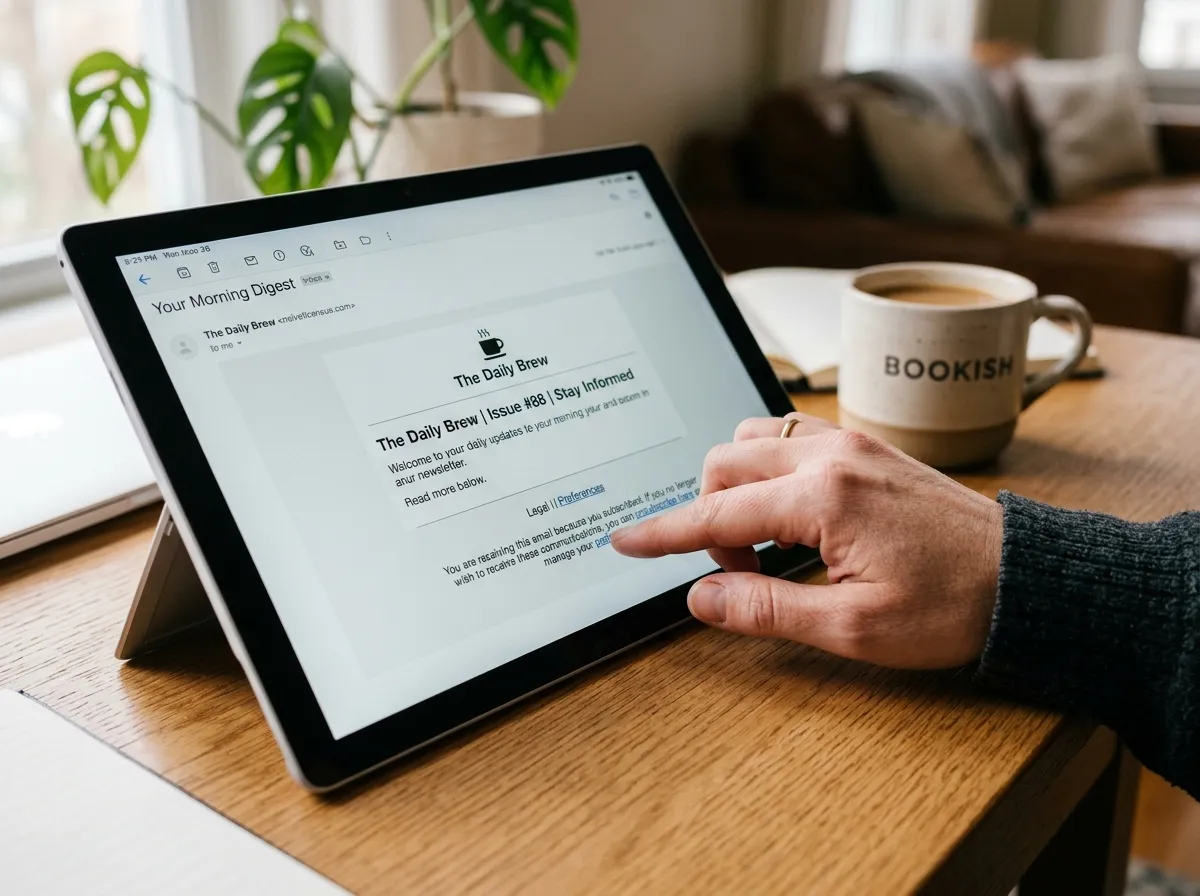
Most legitimate marketing mail includes an unsubscribe link in the footer. Still, be careful with strange messages that urge urgent clicks. Practical rules:
- Prefer the unsubscribe control in your email client when it appears near the sender header
- For known brands you recognize, footer unsubscribe links are usually fine
- For suspicious mail you never signed up for, mark as spam or block instead of clicking odd links
- Never “confirm” personal data on an unsubscribe page beyond choosing to leave the list
- If a message looks like a bank or password alert, go to the site directly rather than through the email
Unsubscribing from real marketing is normal. Clicking random links in scam mail is not the same activity. When unsure, filter the sender to trash automatically without visiting links.
Step 1: Sort by sender and face the volume
Open your email client and sort or search by sender, or use the search operator your provider supports for from: addresses. Mass senders reveal themselves fast. Make a working list of the top offenders:
- Retail brands you browse twice a year
- App tools from old trials
- Event platforms from one conference
- Creators whose digests you never open
- Loyalty programs with daily pushes
Spend fifteen minutes listing senders, not debating each one. Speed creates honesty. You can decide keep, filter, or unsubscribe in the next pass.
Step 2: Use a three-bin decision for every sender
For each noisy sender, choose one bin:
- Keep in inbox: rare. Only for mail you act on quickly (billing alerts you need, school messages, essential work lists).
- Filter to Newsletters: content you sometimes read on purpose.
- Unsubscribe or block: anything you ignore, resent, or open only out of habit guilt.
Most beginners overuse Keep. Be stricter. If you have not opened a sender in 30 days, it does not earn inbox space. If you open it sometimes for pleasure reading, it earns a folder, not prime inbox real estate.
Step 3: Unsubscribe, then delete the pile
Do both. Unsubscribe stops future arrivals. Deleting or archiving clears the current pile so you feel the win today. A common stall is unsubscribing while leaving hundreds of old emails from that sender. Clear them with a sender search and bulk delete or archive.
Work in batches of ten senders per session. Finish the batch before opening unrelated mail. Context switching is how overload sessions turn into browsing sessions.
Step 4: Filter newsletters you still want
Some writing is worth keeping. Create a folder or label named Newsletters. Add filters so those senders skip the inbox. Then schedule two short reading windows a week. If the folder grows unread for fourteen days, unsubscribe from the coldest senders inside it.
Receipts and shipping mail can get their own Receipts filter if they clutter action mail. You still have search when you need a tracking number. The goal is a primary inbox that mostly contains human and time-sensitive items.
Step 5: Protect your primary address
Overload often starts at signup forms. Protect the address you use for banking, work, and personal identity:
- Use a secondary address for shopping, contests, and one-off downloads
- Use plus-addressing if your provider supports it (you+shop@...) to track which sites leak or spam
- Avoid logging into random tools with the same identity you use for important accounts when a social login or alternate email will do
- Decline extra “partner offers” checkboxes when creating accounts
A throwaway or shopping inbox can be messy without stressing your main life inbox. Check it weekly or when expecting a receipt. Do not forward everything to primary or you recreate the problem.
Step 6: When unsubscribe fails
Some senders ignore requests, bury links, or make leaving difficult. Escalation ladder:
- Use the client’s Unsubscribe button if available
- Try the footer link once for known brands
- Mark as spam so filters learn
- Create a rule: from sender to Trash or Archive automatically
- Block the sender if your client supports it
You do not need permission to protect your attention. Automatic filtering is a valid permanent solution when a sender behaves badly.
A 30-minute unsubscribe sprint
- Minutes 0–5: Sort by sender or search recent promotions. List fifteen offenders.
- Minutes 5–20: Unsubscribe from ten. Filter three. Keep at most two in inbox if truly needed.
- Minutes 20–28: Bulk delete or archive old mail from those senders.
- Minutes 28–30: Write a calendar note for next week’s sprint.
Repeat twice a week until the firehose feels like a faucet. Then switch to maintenance: three unsubscribes whenever noise creeps back.
Weekly maintenance so overload does not return
New subscriptions appear whenever you buy, register, or download. Build a tiny habit:
- During one email window each week, unsubscribe from anything new that annoyed you
- Review the Newsletters folder for cold senders
- Check shopping-address inbox for unexpected lists and exit them
- Decline optional email preferences inside accounts you still use (many sites let you keep transactional mail only)
This maintenance belongs next to other light digital hygiene. It is the email version of clearing Downloads: small, regular, boring, effective.
Special cases: work email, school, and family
Work overload may include mandatory lists you cannot leave. Filter those to a Work Bulletins folder and process on a schedule. Ask admins whether digests exist instead of per-message blasts. Mute threads that are informational if your client allows it.
School and kids’ activities generate bursts of mail. Create a School filter and check it at a set time daily during the term. Do not let cafeteria fundraiser mail sit beside vendor invoices in one undifferentiated pile if that mix stresses you.
Family shared shopping accounts can re-subscribe you without your clicking. Agree on who manages loyalty emails, or use a shared shopping address so the noise has a designated home.
Preferences pages: the quiet middle path
Sometimes you want the brand but not the daily spam. Preference centers let you choose weekly digests, product updates only, or transactional mail only. Use them when you still shop there. Unsubscribe fully when preference pages still result in ignored mail. Preferences are a middle path, not a moral duty to stay connected to every store you once visited.
Common mistakes
- Only deleting, never leaving lists. The faucet stays open.
- Keeping everything in Newsletters forever. A ignored folder is still clutter with nicer labeling.
- Using primary email for every coupon popup. You are training the internet where to find you.
- Unsubscribing in a furious three-hour binge once a year. Short weekly sprints work better.
- Clicking suspicious unsubscribe links in scam mail. Prefer spam marking and filters.
- Expecting zero marketing forever without changing signup habits. Protection at the form matters as much as exits later.
How unsubscribe supports a calmer digital life
Fewer emails means fewer badges, fewer lock-screen previews, and fewer moments of “I should deal with this.” That calm supports phone layout changes, file decluttering, and realistic inbox processing. Unsubscribe is not the whole system. It is the volume control that makes the rest possible.
After a good unsubscribe month, many people discover their “email problem” was mostly a subscriptions problem. The remaining human mail becomes manageable with scheduled checks and simple decisions.
Seven-day overload reset
- Day 1: List top 20 senders by volume.
- Day 2: Unsubscribe from ten retail or promo lists. Bulk clear their old mail.
- Day 3: Create Newsletters filter for keepers.
- Day 4: Create or clean a shopping secondary address. Update two site accounts to use it.
- Day 5: Mark spam or auto-trash for senders that ignore unsubscribe.
- Day 6: Preference-center pass for two brands you still want rarely.
- Day 7: Measure: count messages received today vs. last week’s memory. Schedule weekly three-sender maintenance.
You do not need perfect metrics. You need a noticeable drop in noise and a habit that keeps the drop.
Transactional vs. marketing: know the difference
Not every email is optional. Transactional messages confirm purchases, password resets, shipping, payroll, appointment reminders, and security alerts. Keep those paths intact. Marketing messages pitch products, content, and engagement. Those are the primary unsubscribe targets.
Confusion happens when brands mix both in one stream. A shipping email that also includes five promotional blocks still may be worth keeping until the package arrives. After delivery, leave the marketing list if the pitches annoy you. Many accounts let you keep order updates while disabling deals. Hunt for Email Preferences inside the website account area when footer links only offer an all-or-nothing exit.
Coupon fear and the “what if I miss a sale” story
Fear of missing a discount keeps people on daily blast lists. Reality check: if you need a product, you can visit the site, search for a code, or sign up again temporarily. Paying with attention every day for a hypothetical future coupon is usually a bad trade.
A practical compromise: keep one retailer newsletter you actually use, filtered to Newsletters, and exit the rest. Or use a shopping address that collects deals and check it only when you are already planning a purchase. Do not let coupon fear run your primary inbox.
Team and household unsubscribe agreements
Shared inboxes and family accounts recreate lists after one person cleans them. Agree on rules:
- Who is allowed to subscribe the shared address to new lists
- Whether loyalty programs use a shopping email instead
- How often someone runs a 20-minute unsubscribe sprint for the household
- Which school and activity lists are required and filtered rather than deleted
Without agreement, one person’s cleanup becomes another person’s signup spree. A five-minute conversation saves months of noise.
Metrics that matter (lightly)
Once a month, glance at rough volume. Many clients show messages received per day or you can eyeball the inbox after a morning. You are looking for trend, not precision. If volume crept up, run two sprints that week. If volume stayed low, maintain the three-sender habit and move on with your life.
Also notice emotional metrics: do you dread opening email less? Do badges feel quieter? Do processing windows finish faster? Those signals matter more than a perfect count.
Putting unsubscribe into a wider declutter
Email noise often sits beside unused apps, chaotic downloads, and a crowded phone screen. When you cut lists, you free attention for those other zones. When you declutter the rest of your digital life, you create fewer new accounts that spawn new lists. The habits reinforce each other.
Start with the loudest senders today. Protect your primary address tonight. Schedule a short weekly sprint so overload never quietly rebuilds itself.
Sender archaeology: find lists you forgot existed
Volume sorts show today’s loud brands. Archaeology finds the quiet drip that still adds up. Search your archive for words that marketing systems love: “unsubscribe,” “view in browser,” “exclusive offer,” “your weekly digest,” “we miss you,” and “confirm your subscription.” Those phrases surface senders that never made your mental top-ten list because they only arrive once a week.
Another useful search is by month. Pick a busy shopping season from last year and scan From lines. Loyalty programs often wake up then. If you see five messages from a store you have not opened in a year, that sender is an archaeology win: unsubscribe, then bulk-archive the old thread pile so search stays useful for receipts you still need.
Keep a running note titled “Exit list” with three columns: sender, decision date, and method used (client button, footer link, filter, or spam). When a brand returns after you left, the note tells you which escalation to try next. Without the note, you repeat the same soft unsubscribe and wonder why nothing changed.
Retail, creators, and tools: different exit tactics
Retail lists usually honor footer links within a few days. Creator newsletters vary: some use clean one-click exits, others bury the link under a wall of social buttons. Tooling and SaaS mail is often the stickiest because product updates mix with marketing. Prefer preference centers that offer “security and billing only” when you still use the product. Full unsubscribe is right when you no longer have an account.
Event platforms deserve a special pass after every conference season. One ticket purchase can spawn venue mail, sponsor mail, app reminders, and “see you next year” campaigns. Search the event name and clear the cluster in one sitting. Travel and booking sites behave the same way: the trip ends, the inspiration emails do not, until you exit.
Local businesses and school fundraisers can feel rude to leave. Exit anyway if you ignore them. Support the cause on your terms with a calendar reminder for the annual donation, not with a daily inbox tax. Attention is not the same gift as money.
Measure the drop so you keep going
Motivation fades without proof. On day one of your reset, note roughly how many messages arrive on a typical weekday. After two weeks of sprints, count again on a similar weekday. You do not need analytics software. A sticky note with “~80 before, ~35 after” is enough to show the faucet moved.
Also track how many times you felt ambushed by promo mail during a work block. If that number falls, unsubscribe is paying rent in focus, not only in tidiness. Pair the measurement with your processing habit from inbox zero for beginners so the quieter inbox still gets cleared on a schedule.
When the count creeps up again, do not restart a heroic purge. Run a fifteen-minute sender sort and exit the newest three offenders. Maintenance beats mythology.
Starter plan: your first overload week in detail
Use this if the seven-day reset feels abstract and you want a tighter script.
- Session A (30 minutes): Sort by sender. Write twenty names. Star the ten you resent most.
- Session B (30 minutes): Unsubscribe from those ten. Bulk-delete or archive their backlogs. Screenshot any odd confirmation pages.
- Session C (20 minutes): Create Newsletters and Receipts filters for keepers. Move three “sometimes useful” senders into Newsletters.
- Session D (20 minutes): Set up or clean a shopping secondary address. Change two retail accounts to that address for future orders.
- Session E (15 minutes): Auto-trash or spam-mark anything that ignored Session B. Add calendar reminder: “Three unsubscribes” every Friday.
Between sessions, do not open the inbox to “just browse.” Browsing recreates the slot-machine loop you are trying to break. If you must check for a human reply, search that person’s name instead of scrolling the whole feed.
After the five sessions, your digital life should feel quieter on the email surface. Zoom out with the digital declutter checklist if files, photos, and phone layout still add noise. Unsubscribe is one lever; it works best when the rest of the desk is not on fire.
FAQ
How long does it take to fix email overload? A visible improvement often appears after two or three 30-minute sprints. Deep cleanup of years of lists may take a few weeks of short sessions. Maintenance then stays light.
Do I need an unsubscribe app? No. Built-in unsubscribe, filters, spam marking, and a secondary address handle most cases. Apps can help some people, but they are optional and not required to start.
Is it safe to unsubscribe from everything? Keep transactional mail from banks, employers, schools, and services you actively use. Leave marketing lists freely. When unsure, filter first for a week, then unsubscribe.
What if I unsubscribe and still get mail? Wait a few days for lists to process, then mark spam or auto-filter to trash. Some bad actors ignore requests; filters solve those.
Should newsletters ever stay in the main inbox? Only if you act on them like work mail. Most belong in a scheduled reading folder so they do not bury human messages.
How do I stop new overload after a cleanup? Protect your primary address, untick partner offers, use a shopping email, and run a weekly three-sender unsubscribe habit.
What if I need a discount code later? Search the brand site or use a secondary shopping inbox when you are ready to buy. Paying with daily inbox noise year-round is a bad price for an occasional coupon.
Can I unsubscribe from my phone? Yes. Many clients show an Unsubscribe control near the sender. Use it during a dedicated sprint, not while standing in a checkout line half-distracted.
Related: Inbox Zero for Beginners · Digital Declutter Checklist